Support · iOS
Your Detox,
step by step.
Set up app blocking, start your first session, stay focused, and understand your Detox Score.
01 · First launch
Enable Screen Time and choose your apps
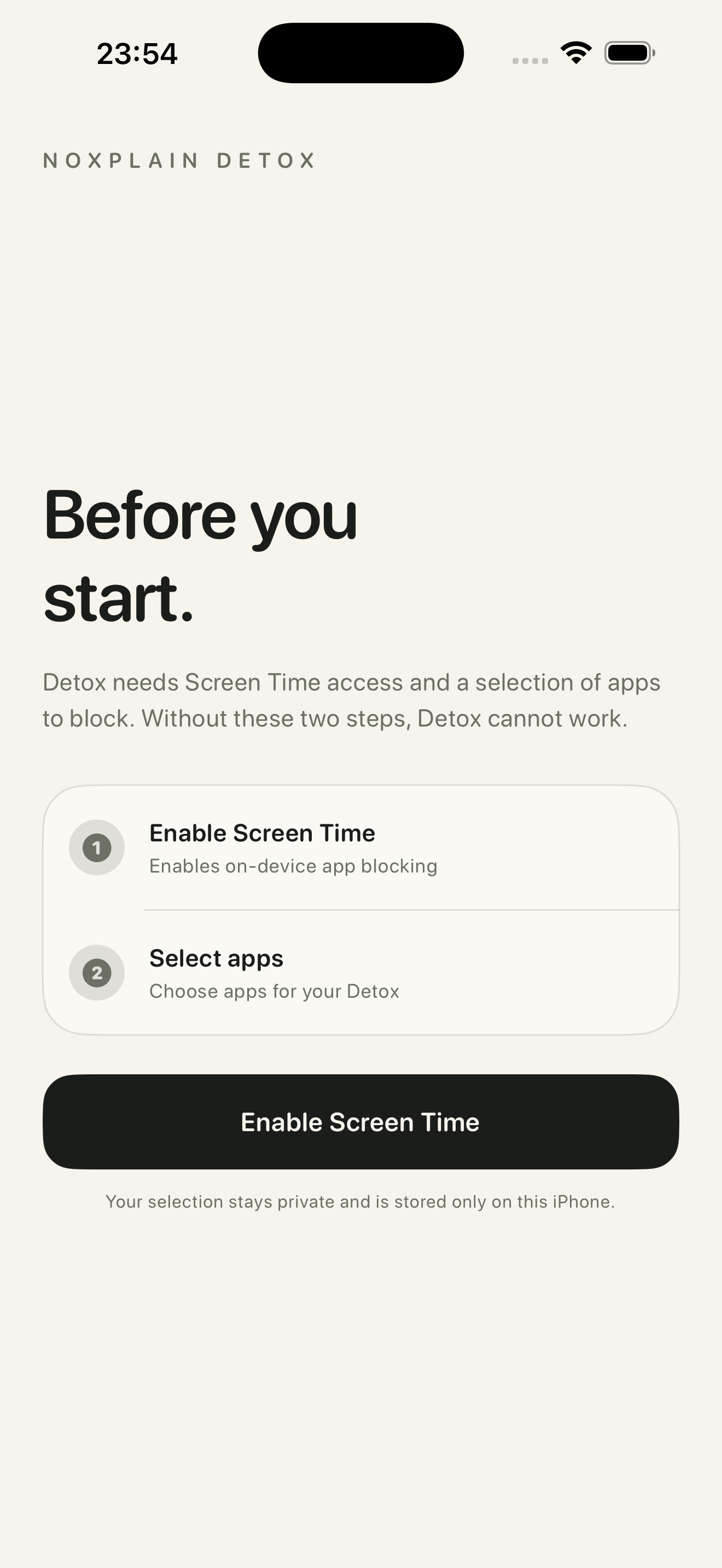
NoxPlain Detox needs Apple's Screen Time permission to block apps locally on your iPhone. Tap Enable Screen Time, then confirm the permission in the iOS dialog.
- Open NoxPlain Detox and tap Enable Screen Time.
- Approve the Screen Time request shown by iOS.
- Tap Select apps, choose the apps or categories you want to block, and confirm your selection.
Your selection stays private. Apple provides privacy-preserving identifiers, and NoxPlain cannot see which apps you selected.
02 · Start a session
Choose a duration, then hold to begin
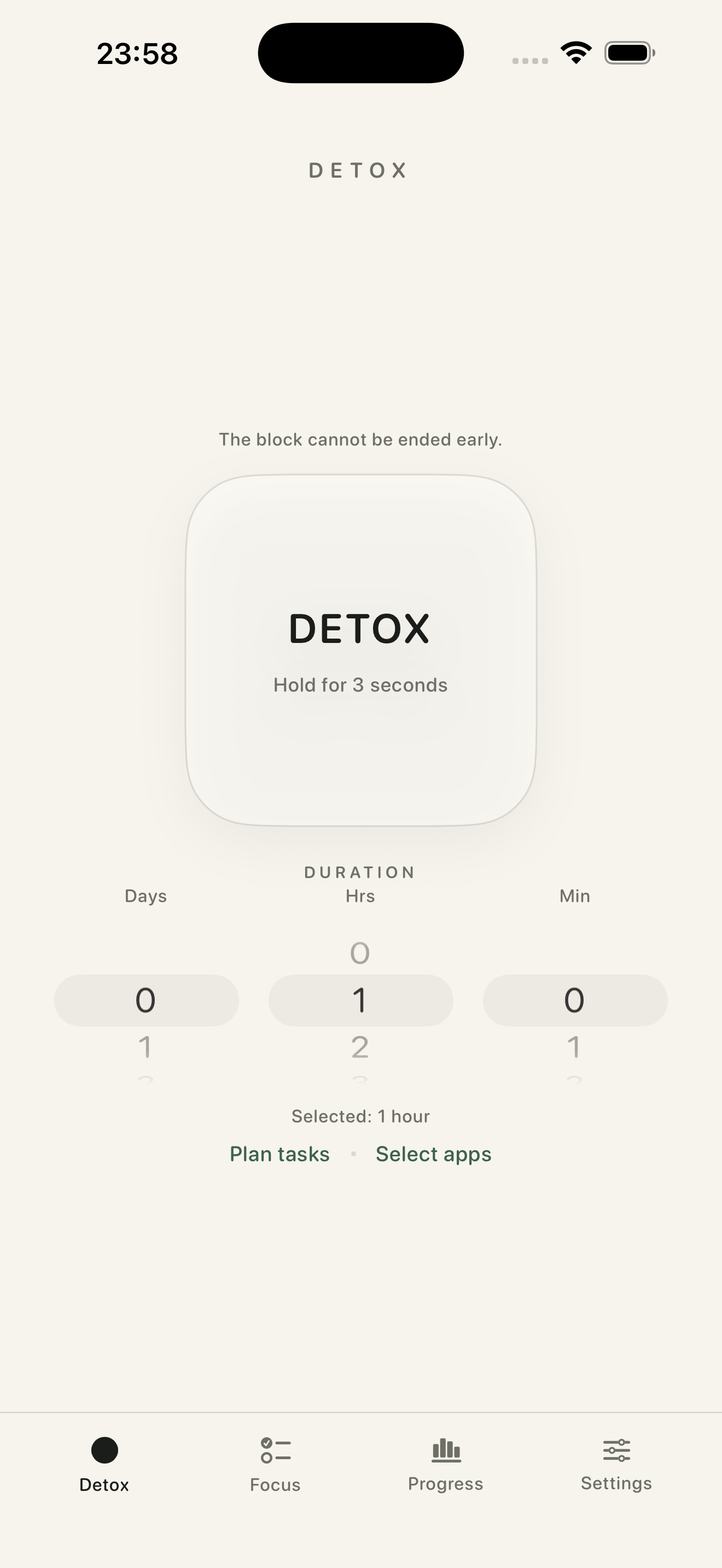
Set the number of days, hours, and minutes with the duration wheels. You can plan tasks before starting or adjust your selected apps.
When everything is ready, press and hold the Detox button for three seconds. The selected apps remain blocked until the timer ends.
For longer sessions, iOS may ask you to confirm with Face ID or your device passcode.
03 · During Detox
Stay focused without losing useful thoughts
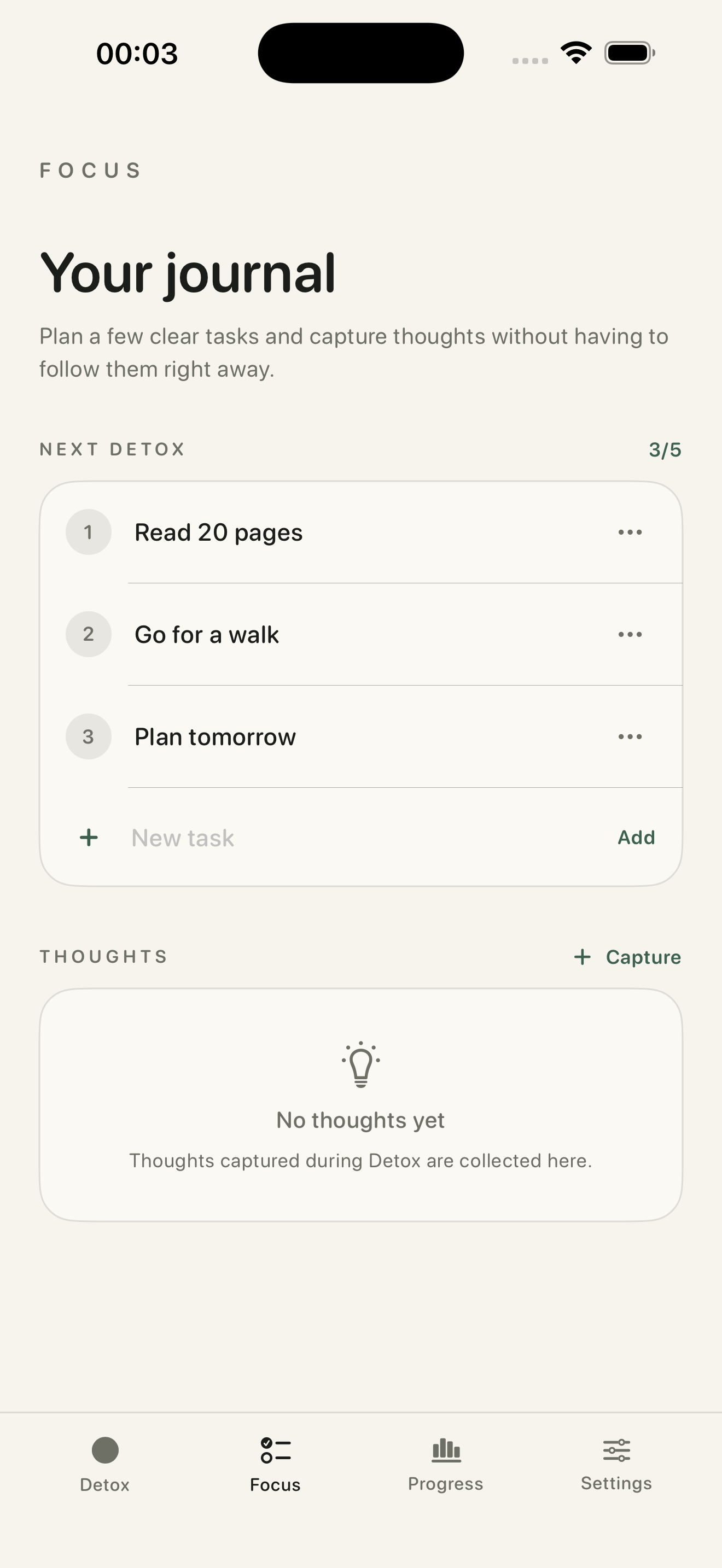
Open the Focus tab to check off tasks you planned for the session. Use the ideas area to capture anything you want to return to later without leaving your Detox.
Your remaining time is shown in the app and through the Detox Live Activity when it is available. App-selection settings stay locked during an active session.
04 · After Detox
Complete the session and build your score
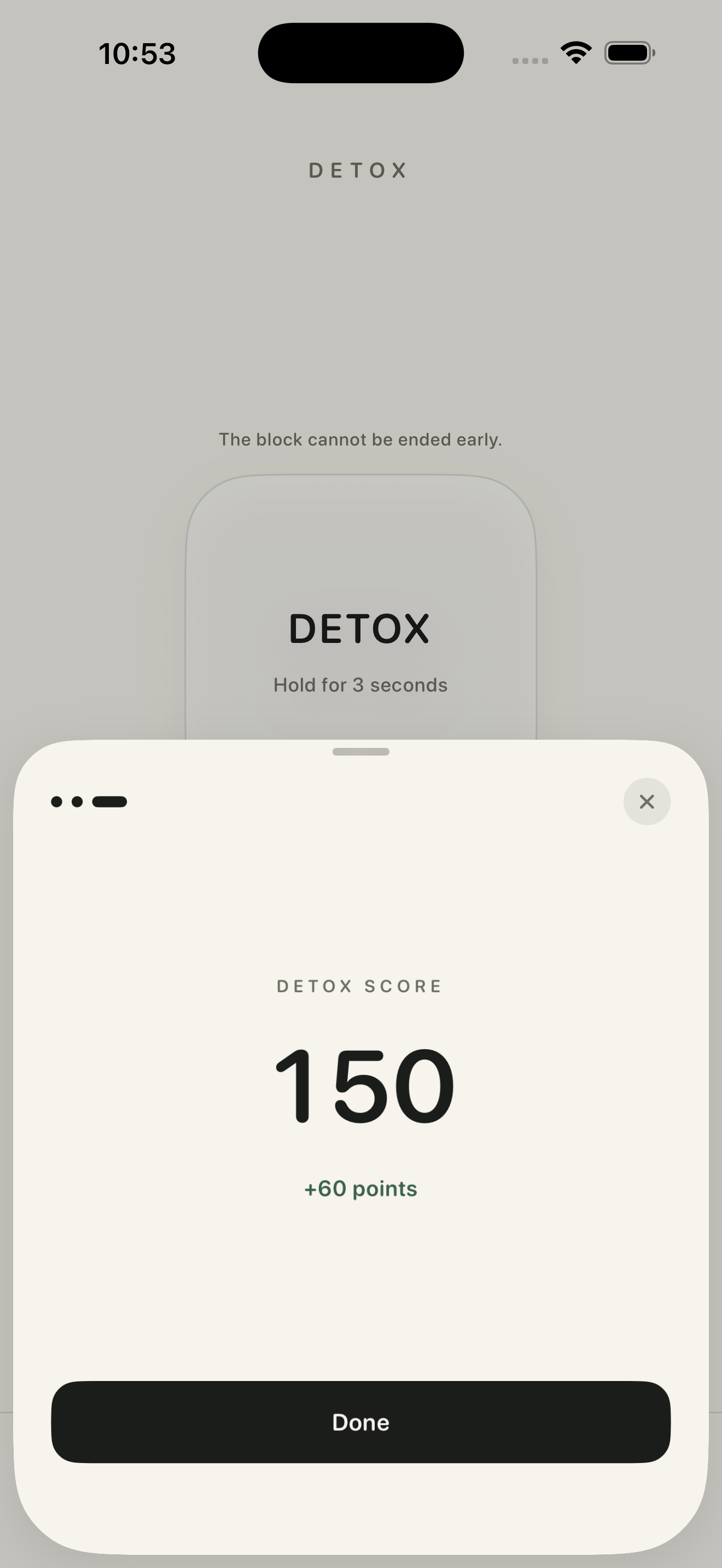
When the timer finishes, your selected apps become available again. Complete the short check-in and NoxPlain adds the earned points to your local Detox Score.
Your score reflects completed Detox time and gives you a simple way to see your progress without accounts, leaderboards, or public profiles.
Quick help
Common questions
Why are my selected apps not blocked?
Open Settings in NoxPlain Detox and confirm that Screen Time access is enabled and that at least one app or category is selected. Blocking must be tested on a physical iPhone.
Why can’t I change my blocked apps?
App selection is intentionally locked while a Detox is active. You can change the selection after the timer has finished.
Why did I not receive a notification?
Open the iPhone Settings app, find NoxPlain Detox under Notifications, and make sure notifications are allowed. Detox reminders are scheduled locally on your iPhone.
Where is my information stored?
Your app selection, sessions, tasks, ideas, presets, and score stay on your iPhone. NoxPlain Detox does not require an account or an external app server.
Questions & ideas
Talk to NoxPlain.
Need help, found an issue, or have an idea for a future update? Join the NoxPlain Discord community.